[Institution] Why is my deposit showing "Pending Declaration"?
If you have successfully deposited crypto using a new wallet address and the deposit appears as [Pending Declaration] on the OSL platform, this means that additional declaration information is required before it can be credited to your account.
Please follow the steps below to submit the required declaration.
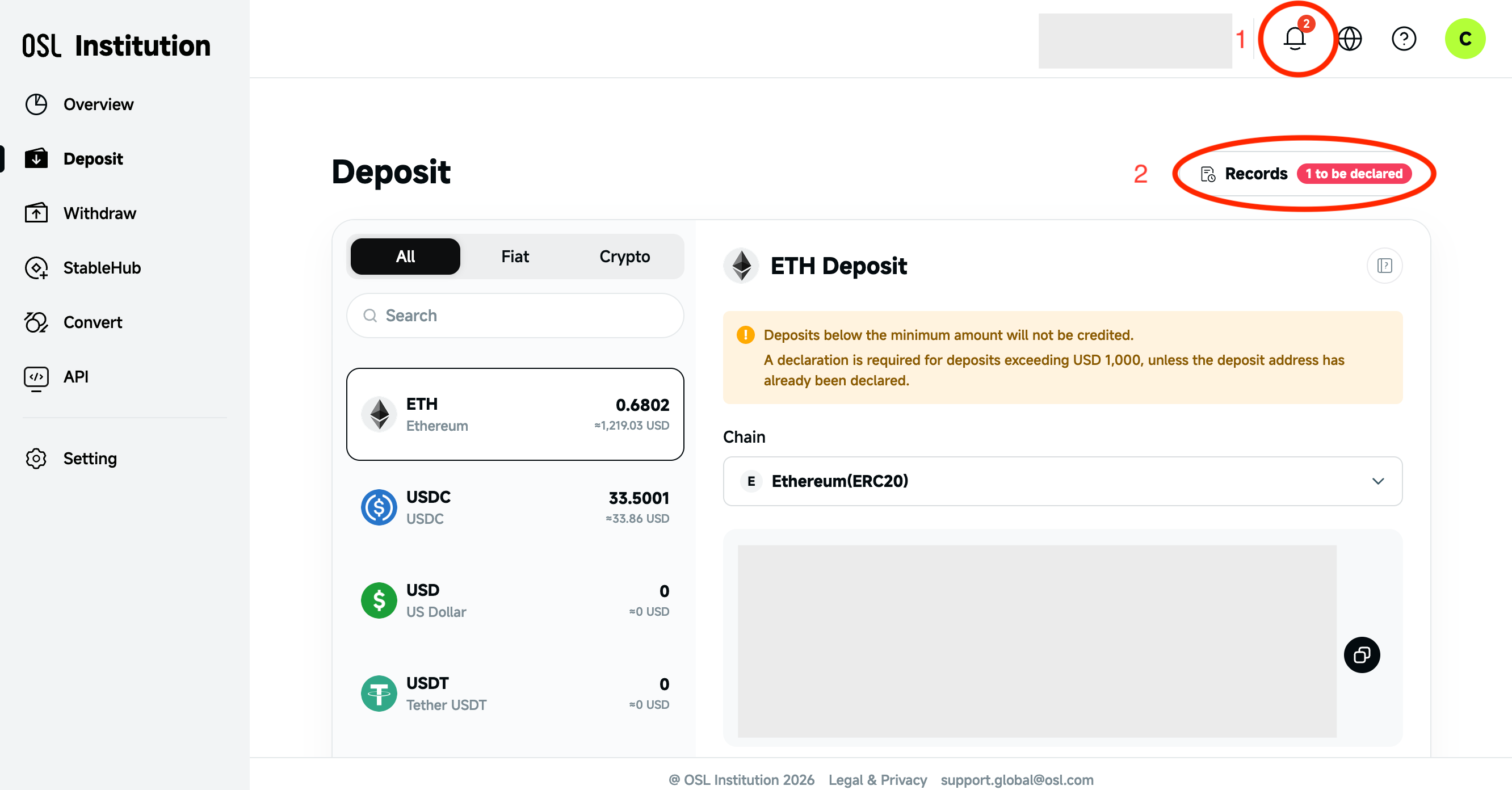
Log in to the Institution Site, click the [Bell] icon in the top-right corner. In the Notification Center that appears, you can see the pending deposit declaration under Tasks. Click [Declare].
Alternatively, go to the [Deposit] page and click [Records (1 to be declared)]. Then click [Declare] in the records list.
In the pop-up window, verify and fill in the relevant information.
Click [Next] to complete the operation.
Once the declaration is submitted, the deposit will be processed after review. Processing time may vary depending on the case.
Only deposits that require additional information will appear under Pending Declarations. If the deposit does not appear, please allow some time for the system to update or contact our customer support for assistance.